🥁 MidiOrganize
Organize your MIDI drum, bass, piano,... loops in this very intuitve directory viewer. Preview MIDI loops in MidiOrganize's embedded DryWet MIDI loop player. Chain MIDI loops together to preview a Intro, Verse, Chorus, Bridge, Outro loop. Drag-and-drop MIDI loops from MidiOrganize to your Digital Analog Workstation (DAW) tracks. No VST license. No internet. No CPU tax. Absolutely FREE!
Ditch the expensive drum VSTs
MidiOrganize is an extremely simple standalone Windows MIDI loop librarian. Browse, preview, and drag MIDI loops directly into your DAW tracks and route the track output your prefered MIDI tone generator. For superior sound, route the track output to an external tone generator. Bounce MIDI audio to a DAW audio track to apply VSTs. This approach has many benefits: zero CPU overhead, no license key, no activation server, and no required internet connectivity (required by many VSTs to validate their costly annual license)!
- Familiar six-pane drill-down look and feel matching popular drum loop programs and VSTs
- Comprehensive MIDI loop player provides loop previewing, looping, volume and tempo adjust, audio device selection
- Preview any MIDI loop inside MidiOrganize before importing to your DAW project
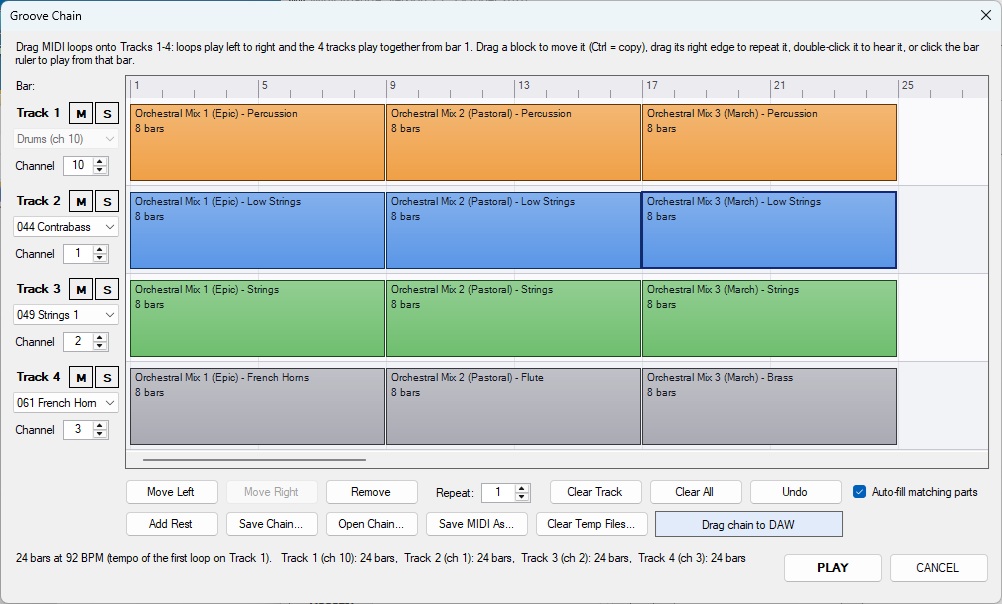
- New in 1.7: Groove Chain — build a song on 4 tracks from drum, bass and organ loops or whole songs; drag, copy, repeat, add rests, mute / solo, pick any of the 128 GM instruments per track, save your chains, and drag the result into your DAW as one multi-track MIDI file
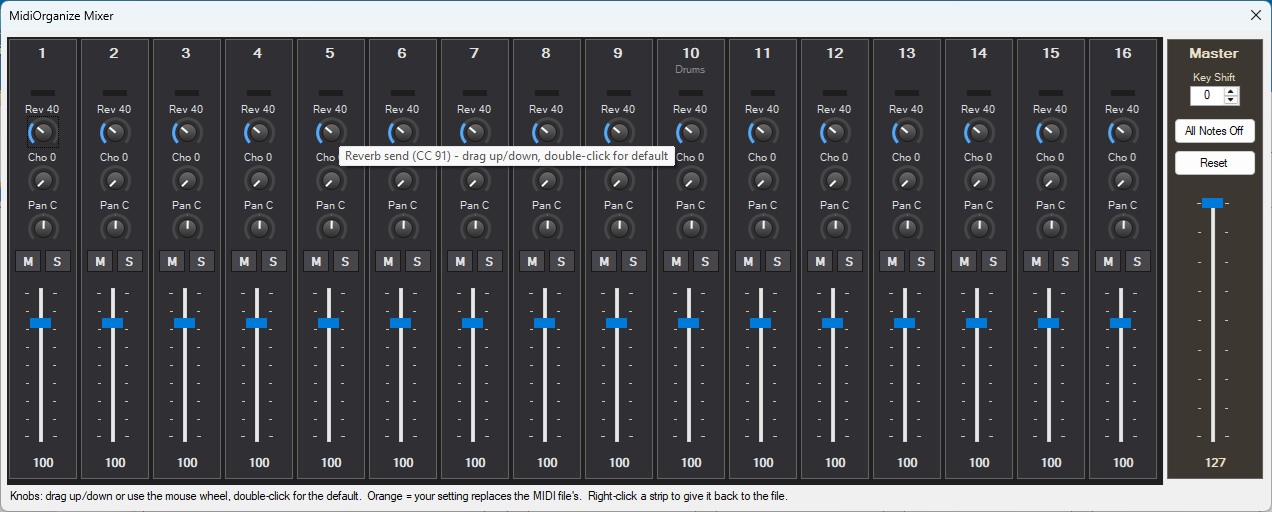
- New in 1.7: 16-channel Mixer — volume, pan, reverb and chorus per channel, mute, solo, master level and key shift, live while loops play
- New in 1.7: every loop plays on the right MIDI channel automatically — drums 10, bass 1, organ 2 — set per folder (right-click) or per bookmark
- New in 1.7: free SDA Samples library — 375 drum, bass and organ loops in 13 styles, plus 58 multi-part songs and riffs: Texas blues rock, piano arpeggios, trance, orchestral and classic rock styles
- New in 1.7: step-by-step guide to far superior playback sound with the free VirtualMIDISynth and GeneralUser GS SoundFont
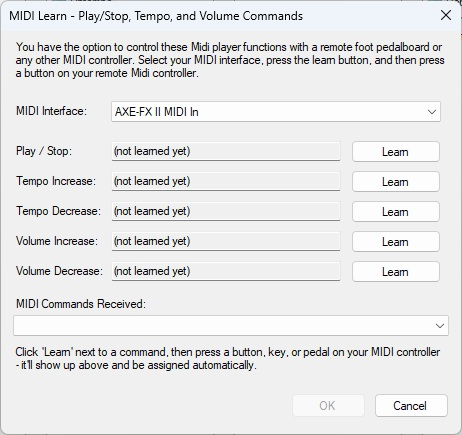
- Control your preview of MIDI loops from a pedalboard via the MIDI Learn feature
- Drag and drop MIDI loops directly into DAW MIDI tracks
- Compatible with Groove Monkee, Session Drummer, EZ Drummer ... libraries
- Completely offline, completely free, no activation, no subscription, ever
- Eliminates VST CPU latency and audio dropout issues
with Embedded DryWet MIDI loop player.
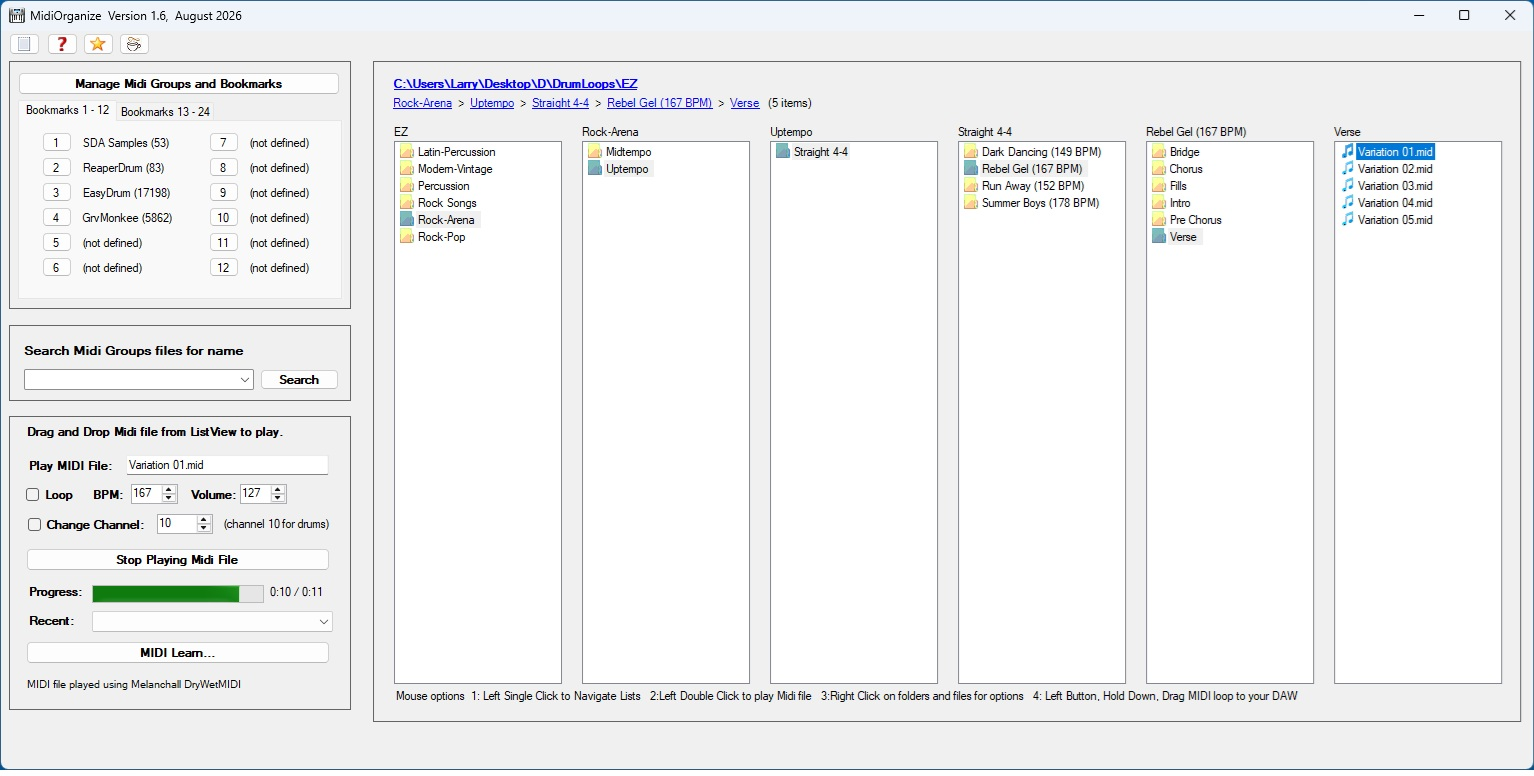 Bookmarks Menu (click to view)
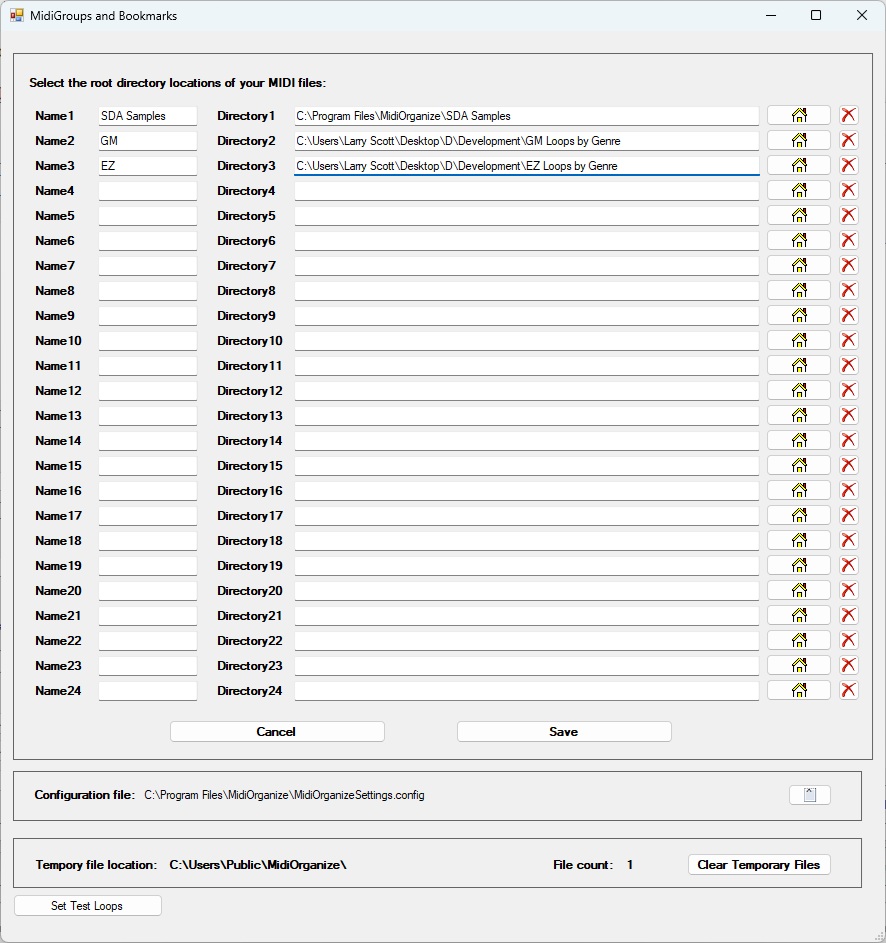
Define the directory locations of your MIDI loops Groove Chain track player (click to view)
Build songs from drum, bass and organ loops on 4 tracks 16-channel Mixer (click to view)
Volume, pan, reverb, chorus, mute and solo for every channel Midi Loop Player (click to view)
Pedal board controller interface to Playback
start/stop, Tempo up/down, Volume up/down